


POJOKSATU.id - Instant messaging has become an essential part of everyday life.
People use messaging applications to communicate with family members, share photographs, exchange documents, participate in group discussions, and manage professional conversations.
Among the most widely recognized platforms are Telegram and WhatsApp, both of which offer convenient ways to stay connected across different devices.
Although they share similar purposes, each application has features that appeal to different users.
Understanding how these platforms work can help people choose the right communication tools for their personal and professional needs.
From mobile messaging to browser-based communication, both services provide practical options for people who want to exchange information quickly and efficiently.
The Growing Importance of Instant Messaging
Traditional communication methods often require more time and effort than modern messaging applications.
Email remains useful for formal correspondence, but instant messaging is generally more convenient for quick questions, informal discussions, and real-time updates.
Messaging applications also support multimedia communication.
Users can send pictures, voice messages, videos, documents, and location information without relying exclusively on telephone calls or text messages.
These capabilities make digital communication useful for students, businesses, remote workers, and families.
Another important advantage is accessibility. Many messaging platforms support multiple devices, allowing people to continue conversations while moving between smartphones, tablets, and computers.
However, the available features and setup processes vary between applications.
Understanding Telegram and Its Features
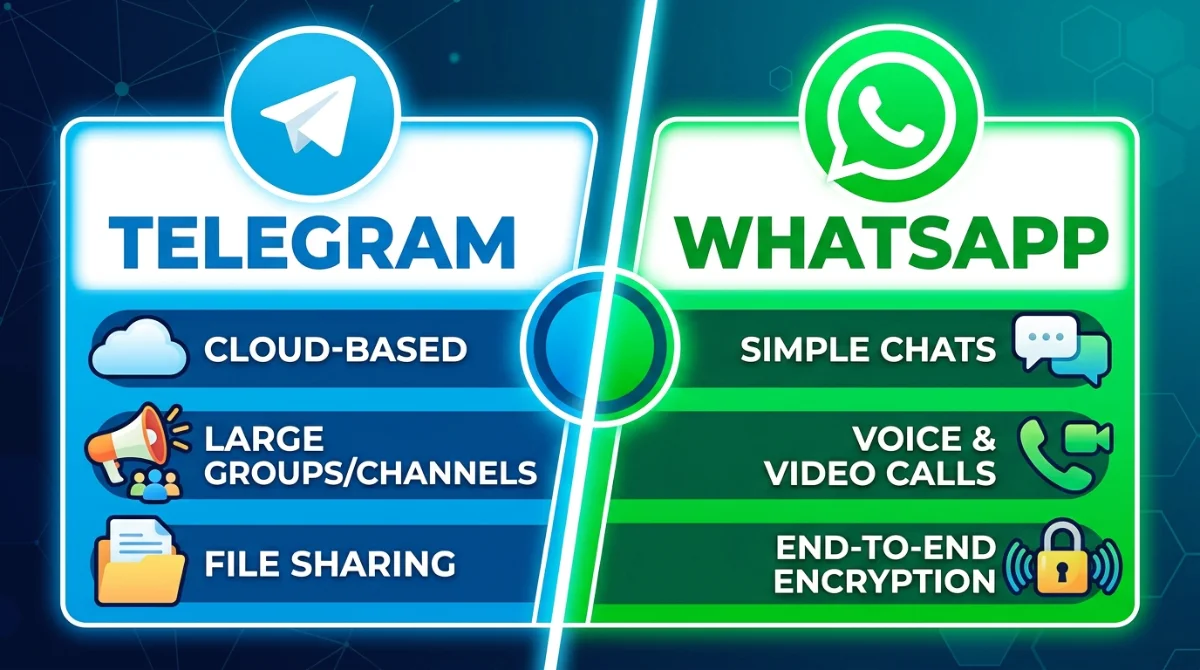
Telegram is a cloud-based messaging platform known for its channels, large groups, file-sharing capabilities, and support for multiple devices.
It allows users to communicate individually or participate in communities centered on particular interests.
One of Telegram's most useful features is its channel system. Channels allow administrators to distribute announcements, educational resources, news, and other information to subscribers.
Groups, meanwhile, support conversations among members and can be useful for communities, project teams, and interest-based discussions.
Telegram also supports file sharing, making it practical for people who regularly exchange documents, images, and other digital materials.
Its cloud-based approach allows many conversations and files to remain accessible across supported devices.
People searching for telegram下载 may be looking for a way to download the application onto a smartphone, tablet, or computer.
Before installing it, users should check that the download comes from an official source and that the application is compatible with their operating system.
Choosing a legitimate download helps reduce the risk of installing modified software or applications containing malicious code.
After installation, users can create an account, configure their privacy settings, and explore the available communication features.
Reviewing notification preferences and controlling who can see personal information are useful steps when setting up any messaging application.
Exploring WhatsApp and Its Communication Tools
WhatsApp is another popular messaging service that supports personal conversations, group chats, voice calls, and video calls.
It is widely used for everyday communication, including family discussions, workplace coordination, customer support, and community announcements.
The application provides a straightforward interface that makes sending messages and sharing media relatively simple.
Users can also exchange documents, record voice messages, and communicate with contacts through supported calling features.
Privacy is an important consideration when using WhatsApp.
Personal messages and calls are protected by end-to-end encryption by default, meaning their contents are designed to remain accessible only to the communicating participants and not to WhatsApp itself.
Nevertheless, users should remember that account security also depends on device protection, recovery settings, and careful handling of verification codes.
WhatsApp offers additional tools, including two-step verification and options for managing who can view certain profile details.
Taking a few minutes to review these settings can help users maintain better control over their accounts.
Using WhatsApp Through a Web Browser
Many people spend several hours working on desktop computers and prefer not to switch constantly between their keyboards and smartphones.
Browser-based messaging provides a convenient alternative by allowing users to access supported conversations from a computer.
People looking for WhatsApp网页版登录 generally want to open WhatsApp Web and connect their account to a browser.
The usual process involves visiting the official WhatsApp Web website, opening WhatsApp on a linked phone, and scanning the displayed QR code using the linked-devices feature.
Once the connection is established, users can send and receive supported messages, share files, and manage conversations from their computers.
The exact features available may depend on the browser, operating system, and current version of the service.
Using WhatsApp Web can be particularly helpful for office workers, writers, students, and people who frequently exchange documents.
Typing longer messages on a physical keyboard can be more comfortable than using a mobile touchscreen.
For security, users should access WhatsApp Web through the official website and avoid scanning QR codes from unknown sources. On shared or public computers, logging out after use is especially important.
Telegram and WhatsApp: Key Differences
Although Telegram and WhatsApp provide similar communication services, their approaches differ in several areas.
Telegram is particularly useful for users interested in public channels, large communities, cloud-based access, and sharing a variety of files.
WhatsApp is often preferred for everyday conversations with existing contacts, voice and video calls, and straightforward communication between individuals and groups.
Their privacy models also differ. WhatsApp uses end-to-end encryption by default for personal messages and calls.
Telegram's regular cloud chats are not end-to-end encrypted by default, while its Secret Chats provide end-to-end encryption for supported one-to-one conversations.
This distinction matters for people who prioritize confidentiality. Users should understand the privacy settings of their chosen platform rather than assuming that every conversation receives identical protection.
Neither application is automatically the best choice for everyone. The right option depends on communication habits, required features, the people a user wants to contact, and individual privacy preferences.
Tips for Safer Messaging
Safe messaging requires more than selecting a well-known application. Users should develop habits that protect their accounts and personal information.
First, download applications from official websites or recognized app stores. Avoid unofficial installation packages unless their source and integrity can be independently verified.
Second, never share one-time verification codes with strangers. Scammers sometimes impersonate friends, businesses, or support representatives to gain access to messaging accounts.
Third, enable available account-protection features, including two-step verification where appropriate. Strong device passwords and updated operating systems provide additional protection.
Users should also be cautious about unfamiliar links, unexpected attachments, and messages promising prizes or financial rewards.
If a contact sends an unusual request, confirming their identity through another communication method can prevent fraud.
Finally, review linked devices regularly. Removing unfamiliar sessions and signing out from computers that are no longer in use can help prevent unauthorized access.
Choosing the Right Messaging Platform
Selecting a messaging application becomes easier when users identify their primary requirements.
Someone who follows public communities and frequently shares files may appreciate Telegram's features.
Someone who mainly communicates with family, friends, colleagues, or existing WhatsApp contacts may find WhatsApp more convenient.
People who work on computers may benefit from browser access, while those who communicate mainly while traveling may prefer mobile applications.
In either situation, reliable internet access, appropriate privacy settings, and regular software updates contribute to a better experience.
It is also worth considering the habits of other people. A messaging platform becomes more useful when friends, colleagues, or clients already use it.
Some users therefore choose to keep both applications installed for different communication purposes.
Conclusion
Telegram and WhatsApp have made digital communication faster, more flexible, and more accessible.
Both platforms offer useful messaging tools, but their features, privacy models, and communication options differ in important ways.
Understanding how to install applications safely, connect accounts to supported devices, and manage security settings helps users make informed decisions.
Whether communicating through mobile devices or desktop browsers, people can benefit from choosing tools that match their needs while remaining alert to online security risks.
By learning the strengths and limitations of each service, users can build a more convenient communication routine and make better use of the messaging technologies available today.